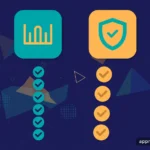
Free vs. Paid Apps: A Practical Framework for Deciding
Every app store asks a quiet question: use the free version, or pay? Neither choice is always right. A free app you open daily can be a bargain; a paid app you open twice can be a waste. Here is a short decision framework to run before any download — not a verdict.
Key takeaways
- There is no universal winner. The right choice depends on how often you will use the app, not on whether free or paid is “better” in the abstract.
- Ask four questions before deciding. Usage frequency, what the free tier withholds, the hidden costs of free, and whether paying removes a real annoyance.
- Free apps are paid for somehow. Advertising, data collection, and upsell pressure are the common currencies — know which one you are spending.
- Paying is clearest when the math is about time. If a paid version removes ads or friction from something you use daily, the value case usually makes itself.
- This is editorial guidance, not lab testing. We teach you how to evaluate the trade-off; we do not crown winners or measure apps against each other.
On this page
- Key takeaways
- On this page
- Why this question has no universal answer
- Question one: how often will you actually use it
- Question two: what does the free tier withhold
- Question three: what is the free version costing you
- Question four: what does paying actually remove
- Frequently asked questions
- Your concrete next step
Why this question has no universal answer
It is tempting to treat “free vs. paid” as a quality signal — to assume paid means better, or that free means good enough. Both assumptions fail regularly. Some free apps are excellent products funded by business models that have nothing to do with you (a free app made by a company that sells the enterprise version, for instance). Some paid apps are mediocre products with confident pricing. Price is a business decision, not a quality certificate.
The deeper reason there is no universal answer is that the value of an app lives in your usage, not in its listing. An app’s worth to you equals the benefit you get each time you open it, multiplied by how often you open it, minus whatever it costs you — in money, attention, or privacy. Change the usage frequency and the whole equation flips. That is why advice of the form “always pay” or “never pay” is useless: it ignores the only variable that matters most, which is you.
There is one more framing worth adopting. Think of every app as having a price, where the currency varies. Paid apps charge money. Free apps charge some combination of your attention (ads), your data (collection and profiling), and your patience (upsell screens, feature gates, watermarks). Once you see all four currencies clearly, the decision stops being “free versus paid” and becomes “which currency do I prefer to spend here.” The framework below is built to answer that better question.
Question one: how often will you actually use it
Frequency is the first question because it dominates the math. An app you open every day spreads any cost — money, ads endured, data shared — across hundreds of uses. An app you open twice a year concentrates the same cost onto almost nothing.
Be concrete with yourself. Will you use this daily (a notes app, a fitness tracker), weekly (a budgeting app), monthly (a travel planner), or once (a parking app for a single trip)? Rule of thumb: for daily-use apps, paying is frequently justified, because any price divides into pennies per use while the annoyance of ads multiplies across every session. For weekly use, it depends on the next three questions. For monthly or one-time use, free is usually the right call.
There is a useful discipline here: before paying, estimate your usage honestly, not aspirationally. Your real usage history is a better predictor than your intentions. When the honest frequency is low, the free tier wins by default.
One exception to note: some apps are worth paying for precisely because you use them rarely but critically — a password manager, a backup tool, an emergency-alert app. For these, the value is not in frequency but in reliability at the moment it matters. If an app guards something important, paying for the maintained, supported version is often the rational choice regardless of how often you open it.

Question two: what does the free tier withhold
Free versions are rarely the whole product — they are a carefully designed slice of it. The slice is chosen to make you want the rest. Your job is to identify exactly what is withheld and whether it matters for your use.
Common free-tier limits include: feature locks (advanced tools reserved for paying users), usage caps (a limited number of projects, scans, or exports per month), content locks (premium templates, lessons, or levels), quality limits (watermarks on exports, lower resolution), and the ever-present ad load. None of these are inherently unfair — they are the terms of the exchange. The question is always whether the withheld part intersects with what you actually need.
Run a simple test: use the free version for its real purpose for a few days and note every moment you hit a wall. If the walls never appear in your normal use, the free tier is sufficient and paying would buy you nothing. If you hit the same wall repeatedly — the export limit every week, the locked feature every session — the free tier is a demo wearing a product’s clothes, and the decision becomes whether the paid version is worth it to you.
Watch for the free tier that is generous at first and tightens later. If an app’s free tier shrinks over time, that is useful information about the developer’s strategy — re-run this framework rather than upgrading on autopilot.

Question three: what is the free version costing you
This is the question free-app enthusiasts skip. A free app is funded somehow, and the funding sources have costs that land on you. The three common ones are advertising, data collection, and upsell pressure. Identify which ones apply and decide whether the price is acceptable.
Advertising costs attention and sometimes dignity. Banner ads are a mild tax; full-screen video ads that interrupt your workflow are a heavy one; ads that mimic system warnings or are difficult to close cross into hostile territory. Ask yourself: how many minutes of ads will I endure per month in this app, and would I rather pay to reclaim them? For a daily-use app with aggressive ads, the answer is often yes.
Data collection costs privacy. Free apps funded by advertising typically collect more behavioral data to make their ad inventory valuable. This is where the app’s privacy disclosure becomes essential reading — our guide to reading app store privacy labels shows you how to check what a free app collects and shares before you commit. A free app with a restrained label is a very different proposition from one whose label reads like a surveillance wishlist.
Upsell pressure costs patience and sometimes money-by-accident. Constant upgrade prompts, countdown timers on “special offers,” and interfaces designed to make the paid button the easy tap are all part of the free-tier experience in aggressive apps. If you find yourself fighting the app to use the free version, the free version is not really free — it is a sales funnel with a demo attached.
None of these costs automatically disqualify a free app. A free app with modest ads, a clean privacy label, and no upsell harassment is a genuine bargain. The framework just asks you to see the costs clearly instead of pretending they do not exist.
Question four: what does paying actually remove
The final question flips the perspective: ask what paying buys. A good paid version removes a specific, named annoyance — the ads disappear, the export limit lifts, the watermark goes away. A weak paid version charges you while leaving the annoyances in place.
Before paying, list the concrete removals. “No ads” is concrete. “Premium experience” is marketing fog. If you cannot name what changes, do not pay yet — use the free tier until you can.
Also distinguish the two payment shapes, because they change the math completely. A one-time purchase is a single payment for ongoing access; a subscription is recurring and stops working when you stop paying. Subscriptions make sense for services with ongoing costs — cloud sync, fresh content, server features — and less sense for static tools. Our guide to subscriptions vs. one-time purchases walks through the break-even thinking. As a rule of thumb, prefer one-time purchases for tools and reserve subscriptions for genuine services.
One last check before any payment: confirm the price, the billing interval, and the cancellation path in the store listing, and set a reminder to re-evaluate recurring payments periodically. For the general method behind comparing any two apps side by side, see how to compare two similar apps. The framework gets you to a good decision today; the reminder protects you from a good decision quietly becoming a bad one two years from now.
Frequently asked questions
Are paid apps always better than free ones?
No. Price reflects a business decision, not a quality measurement. Some free apps are outstanding products funded by enterprise sales, grants, or business models that do not depend on you paying. Some paid apps are thin products with ambitious pricing. Judge every app on the four questions in this framework — your usage frequency, what the free tier withholds, what the free version costs you in attention and data, and what paying concretely removes — rather than treating the price tag as a quality signal. The price tells you how the developer gets paid, nothing more.
What does “freemium” actually mean?
Freemium describes the free-tier-plus-paid-upgrade model: the app is free to download and usable at a basic level, with a premium tier unlocking more features, capacity, or an ad-free experience. It is the most common pricing model in app stores. The model itself is neutral — it becomes consumer-friendly when the free tier is genuinely useful and the upgrade price is clear, and consumer-hostile when the free tier is a hollow demo or the upgrade path uses pressure tactics. Evaluate the specific implementation, not the label.
Is it safe to assume a free app with no ads is trustworthy?
Not automatically. An app with no ads and no paid tier still has to be funded somehow — through data collection, through venture funding that will eventually demand returns, or as a loss leader for a larger business. Check the privacy label to see what it collects and shares. A free, ad-free app with a minimal privacy disclosure is often a genuine bargain (some are built by nonprofits, open-source communities, or companies with other revenue). A free, ad-free app with an expansive data-collection disclosure deserves the same scrutiny as any ad-heavy one.
Should I pay to remove ads in an app I use every day?
Usually yes, if the paid option is reasonably priced and the ads genuinely annoy you. This is the clearest case in the framework: daily usage means the ad burden compounds across hundreds of sessions, while the payment is a single event. Before buying, confirm exactly what the payment removes — some “premium” tiers reduce ads without eliminating them — and check whether it is a one-time purchase or a subscription. If it is a subscription, make sure the ongoing cost still makes sense for an ad-removal benefit alone.
How do I avoid accidentally paying for an app?
Accidental payments usually come from three sources: free trials that convert to paid subscriptions, children tapping purchase buttons, and confusing upsell screens. Defend against all three: treat every free trial as a future charge and set a calendar reminder before it ends; require authentication for every purchase in your store settings and use parental controls for children’s devices; and read any payment screen fully before confirming. If a charge does slip through, both major stores offer a report-a-problem channel for requesting refunds — act quickly, as timing matters.
Your concrete next step
Pick the app on your phone that annoys you most. Run it through the four questions: how often do you really use it, what does the free tier withhold, what is the free version costing you, and what would paying concretely remove? Then make the decision the framework points to — pay, tolerate, or replace — instead of enduring the annoyance on autopilot for another year. One deliberate decision teaches you the framework; the next ten will take thirty seconds each.
App Merit Lab publishes educational guides only. App features, prices, and policies change often — verify details in the official app store listing before making decisions.