App Stores Have to Verify Your Age Now: What the New Rules Mean for Families
In June 2026, Texas began enforcing a law requiring app stores to verify the age of new account holders and get parental consent before minors download apps or buy things. Other states have similar laws on their own timelines. Here is what the rules change — and what parents can set up now, wherever they live.
Last checked: October 3, 2026.
Key takeaways
- Texas led the way. The state’s App Store Accountability Act (SB 2420) became enforceable on June 4, 2026, after a court lifted the injunction that had blocked it.
- New accounts face verification. In Texas, creating a new app store account now requires confirming you are an adult; minors must join a family group with parental approval for downloads and purchases.
- The legal fight is not over. The law is being enforced while a constitutional challenge continues, so its status could still change.
- This is not yet nationwide. Other states have their own versions on different timelines — the rules depend on where the account is created.
- Parents do not need to wait. The family controls built into phones today already cover most of what the new laws require.
On this page
- Key takeaways
- On this page
- What the Texas Law Requires
- How Apple and Google Responded
- What This Means for Parents Day to Day
- The Rest of the Country: A Patchwork
- Setting Up Family Controls Wherever You Live
- Frequently asked questions
- Your concrete next step
What the Texas Law Requires
Texas Senate Bill 2420, called the App Store Accountability Act, puts the age-checking duty on the app stores themselves rather than on each individual app. Under the law, app marketplaces operating in Texas must verify a user’s age at account creation and sort users into age categories. For anyone under 18, the account must be linked to a verified parent, and that parent must give consent before the minor can download apps or make in-app purchases.
The law was originally scheduled to take effect at the start of 2026, but a federal judge blocked it in December 2025, finding it likely violated the First Amendment. In May 2026, the Fifth Circuit Court of Appeals stayed that injunction — pausing the block without ruling on the underlying constitutional question — which allowed enforcement to begin on June 4, 2026. The constitutional challenge is still being litigated, so the law’s long-term fate is not settled.
For enforcement, the mechanism is straightforward. New accounts created from a Texas location must confirm the holder is 18 or older — typically through a credit card, a government ID, or verification based on existing account history. Users under 18 cannot create standalone accounts at all; they must join a Family Sharing group, where a parent or guardian approves every app download, every purchase, and every in-app transaction. Parents can also revoke consent for an app they previously approved. Existing accounts created before the enforcement date are not affected.
It is important to understand what the law does not do. It does not apply to existing accounts, it does not ban any app, and it does not give the government access to what anyone downloads. It is a gate at account creation: prove your age, or route minor accounts through a parent. The controversy around it — including Apple’s public opposition on privacy grounds — centers on whether that gate demands too much personal data from everyone in order to protect minors.

How Apple and Google Responded
Apple opposed the Texas bill publicly, arguing that it forces users to share personally identifiable data just to download apps — even a simple weather app. But once enforcement began, the company shipped the technical infrastructure to comply. For new Apple Accounts created in Texas, the signup flow now includes an age-confirmation step, and accounts identified as belonging to minors are routed into Family Sharing with parental consent required for downloads, purchases, and in-app transactions.
Behind the scenes, Apple built developer-facing tools for this new world. A Declared Age Range API lets the store share a user’s age category with apps so developers can apply the right restrictions, and a Significant Change API requires developers to re-obtain parental consent when an app changes in a meaningful way. Parents can revoke consent for any previously approved app, and developers are expected to honor those revocations. Developers that fail to comply face civil penalties.
Google’s response runs on a parallel track. The company introduced age signals for its store, giving developers a privacy-conscious way to receive a user’s age range without handling raw identity documents themselves. On new accounts created in Texas, these signals feed the same basic logic: verify the account holder’s age bracket, and route minors through parental consent.
Both companies have been expanding age-verification tooling well beyond Texas, so this activation is the sharp end of a trend, not an isolated event. Whether through law or platform policy, age signals are becoming a permanent part of the app store stack.
What This Means for Parents Day to Day
If you live in Texas and your child gets a new phone, the experience has changed. Setting up their account will now involve an age check, and if they are under 18, the account must sit inside your Family Sharing group with you approving downloads and purchases. That approval is not a one-time formality — it applies to each new app and each in-app transaction, and you can withdraw it later for any app you already approved.
For parents outside Texas, nothing has changed yet — but the direction of travel is clear, and the parents with the easiest transition will be the ones who set up family controls now, before any law requires it.
There is a useful way to think about what the law adds on top of what you can already do. The built-in parental controls on phones — screen-time limits, content restrictions, purchase approval — have existed for years and already cover most of the law’s goals. What the new rules change is the default: instead of protection being something a diligent parent opts into, the store itself enforces the gate. That shift helps the families who never got around to setting things up, which is arguably most of them.
One caution for parents of teenagers: age gates work best as part of a conversation, not as a substitute for one. A teen who understands why certain apps are restricted is less likely to seek workarounds than one who just hits a wall. The law handles the mechanics of consent; the trust part is still yours. Our guide to locking down social apps covers the settings worth changing together.
The Rest of the Country: A Patchwork
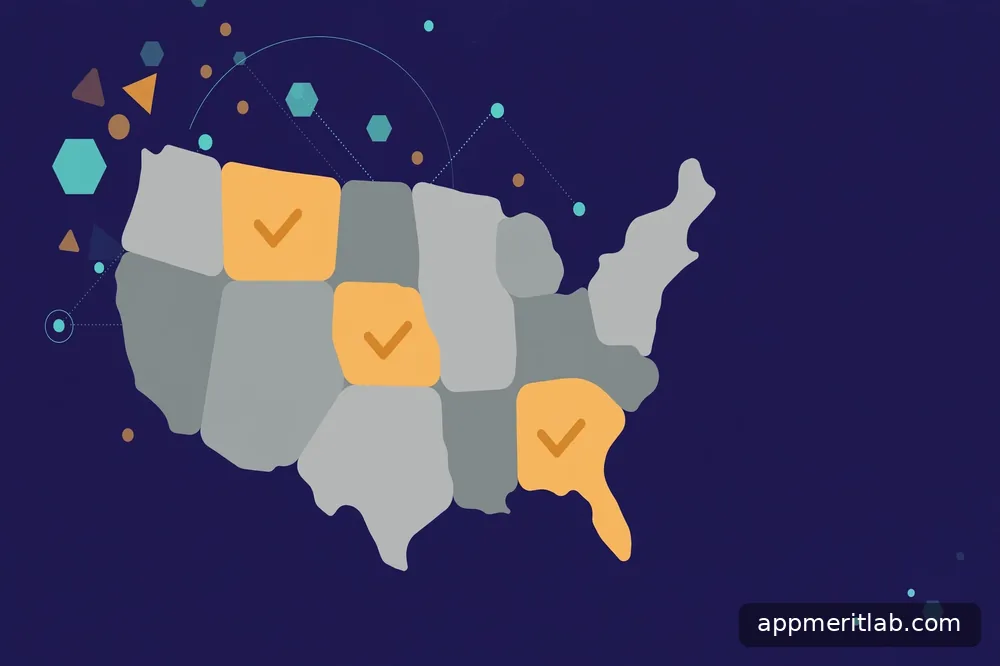
Texas is the first state enforcing this kind of law, but it is not the only state pursuing one. Utah and Louisiana have both passed app-store accountability laws of their own, though each pushed its effective timeline back — Utah to 2027 and Louisiana to mid-2027. California has similar legislation in motion. Each state’s version differs in details: which age categories apply, what counts as verifiable consent, and what penalties developers face.
This patchwork means a family that moves states, or a teen who creates an account while traveling, may face different rules depending on where the account is created.
The legal uncertainty adds another layer. The constitutional challenge is still pending, and the stay that allowed enforcement was a preliminary procedural ruling, not a verdict on constitutionality. The law could be blocked again, and the outcome will shape how other states’ versions fare.
For now, the honest summary is this: age verification at the app store is real and enforceable in Texas today, coming later in several other states, and legally unsettled in the long run. Families should act on the tools available now rather than waiting for the legal dust to settle — which brings us to the practical part.
Setting Up Family Controls Wherever You Live
You do not need a state law to get the protections these laws mandate — the tools are already on your phone. On iPhone, Family Sharing lets you create child accounts, require your approval for every purchase and download through Ask to Buy, set content and age restrictions, and manage screen time. On Android, Google’s Family Link offers the same core functions: approving app installs, setting content filters, and reviewing activity.
Start with purchase approval, because money is where surprises hurt most. Turn on the setting that requires your approval for every download and in-app purchase on your child’s account. This single switch neutralizes the most common family billing shock — the game that looked free until the in-app purchases started. Our explainer on in-app purchases is worth reading alongside this, since understanding coins, gems, and subscriptions helps you explain the rules to your kids.
Next, set content restrictions appropriate to your child’s age. Both platforms let you filter apps by age rating, restrict web content, and limit who can contact your child within apps. These are blunt instruments — an age rating is not a parenting decision — but they are effective first filters, and you can always allow specific exceptions.
Finally, schedule a recurring review. Once a month, sit with your child and look at what is installed, what permissions the apps hold, and what the screen-time reports show. This is also the moment to revisit the privacy settings that matter most on the social apps they use. The law can mandate a gate, but only an ongoing habit keeps the whole system honest — and the habit works in every state, regardless of what the legislature does.
Frequently asked questions
Does the Texas law affect my existing app store account?
No. The law applies only to new accounts created after enforcement began on June 4, 2026. Accounts that already existed are not required to go through age verification, and nothing about how they work has changed. This is a deliberate design choice: the law gates account creation rather than retroactively re-verifying every existing user. If your family already has accounts set up, the new rules change nothing for you directly — though the family controls described in this article are still worth setting up voluntarily.
What counts as verifying my age?
For new Texas accounts, the store must confirm the account holder is 18 or older. In practice this can mean providing a credit card, a government-issued ID, or being verified automatically based on existing account history and payment methods on file. The exact method varies, and the stores have an incentive to make it as frictionless as possible. The privacy trade-off is the heart of the controversy: verifying everyone’s age requires collecting identity information from every new user, including adults who pose no risk to minors.
Can my teenager just lie about their age?
The new systems make that harder than the old honor-system birthdate pickers, because verification ties to payment methods, IDs, or account history rather than a self-reported date. That said, no verification system is perfect, and determined teenagers have always found workarounds — borrowed cards, accounts created elsewhere, older siblings’ devices. The realistic view is that these laws raise the bar significantly for casual evasion while remaining part of a broader strategy. Conversation and ongoing supervision still matter more than any technical gate.
Will other states get the same law?
Several are on the way. Utah and Louisiana have passed their own app-store accountability laws with later effective dates, and California has similar legislation in progress. Each version differs in its details and timelines, so there is no single national standard yet. The outcome of the ongoing court challenge to the Texas law will likely influence how aggressively other states move. For families, the practical move is to set up the built-in family controls now — they provide the same protections regardless of which state you live in or what the courts decide.
Do these laws mean apps are now safe for kids?
No — and this is the most important misunderstanding to avoid. Age verification controls who can download an app; it says nothing about what happens inside it. An age-gated app can still contain advertising, data collection, in-app purchases, and contact with strangers. The gate is a starting point, not a safety certification. Real protection still comes from the layered approach: family controls at the store level, privacy settings inside each app, and ongoing conversations about what your kids encounter. Treat the law as one fence, not the whole fortress.
Your concrete next step
This weekend, set up the family controls on your child’s phone — whether your state requires it or not. Turn on purchase approval for every download and in-app transaction, set content restrictions for their age, and link their account to yours through Family Sharing or Family Link. It takes about fifteen minutes and covers nearly everything the new laws mandate.
Then set a monthly reminder to review installed apps and their permissions, ideally with your child present. The gate at signup matters; the habit afterward matters more.
App Merit Lab publishes educational guides only. App features, prices, and policies change often — verify details in the official app store listing before making decisions.